Some users have recently had their accounts hijacked. It seems that the now defunct EVGA forums might have compromised your password there and seems many are using the same PW here. We would suggest you UPDATE YOUR PASSWORD and TURN ON 2FA for your account here to further secure it. None of the compromised accounts had 2FA turned on.
Once you have enabled 2FA, your account will be updated soon to show a badge, letting other members know that you use 2FA to protect your account. This should be beneficial for everyone that uses FSFT.
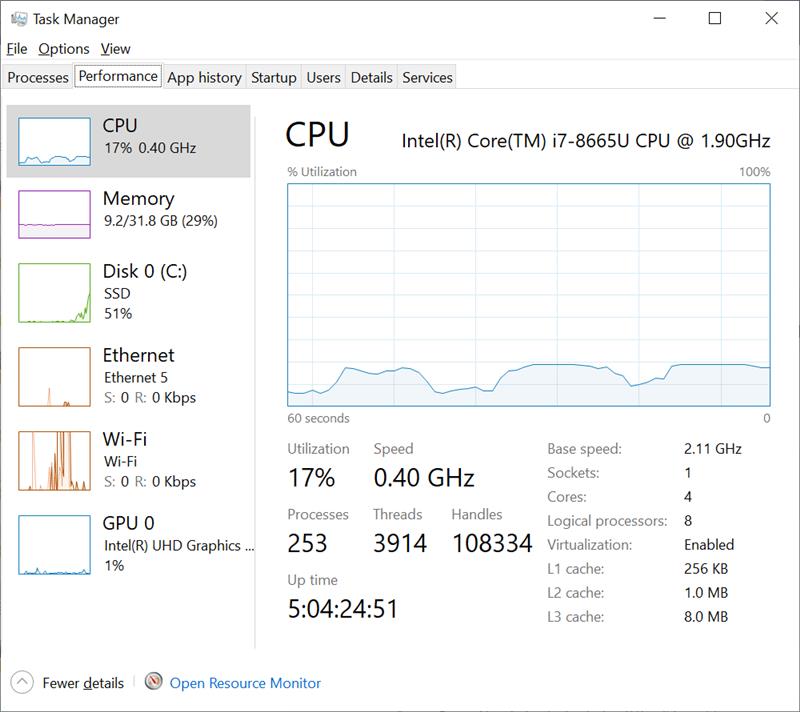
Try opening an application that uses the cpu. I'm sure it will go back to stock speeds. The cpu is scaling down to save power. It's been a feature for years.
If it's always low, could be overheating. Check heatsink and paste.
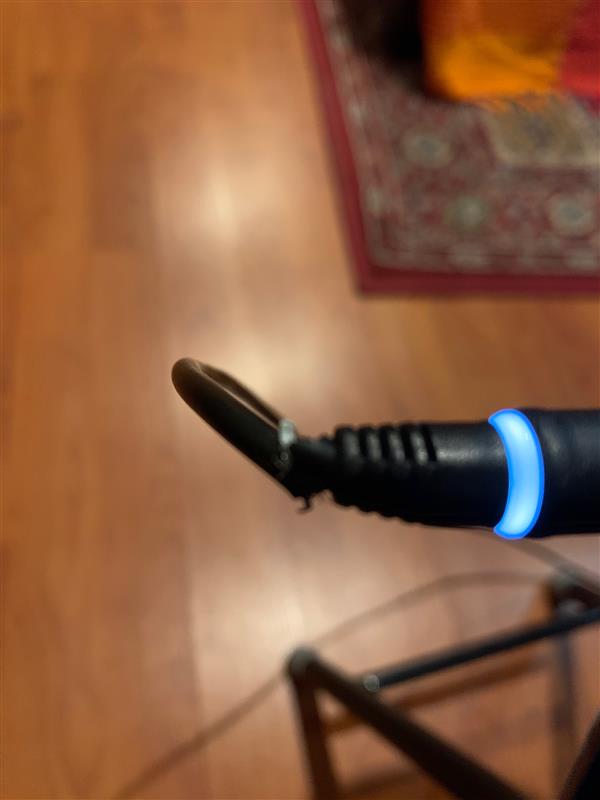
What power adapter are you using? Is the laptop detecting it properly? If the laptop detects too small of a power adapter OR doesn't detect the power adapter properly, it WILL cause the system to clock really low. I've never bothered looking at how low it clocks when that happens.
I've never seen that CPU clock that low.
Also make sure you have the latest BIOS installed.
Check the power settings in Windows. Could be that it somehow got set to max 1% CPU speed or something like that.
You can also run the onboard diagnostics... that will give you information on pretty much everything... Just spam F12 right after powering on to bring up the boot menu.
thanks guys come to find out i ask the person are you using the new charger that came with the laptop. Nope im using the old one. Using a botched charger with dells will often make the speed go down to protect the machine.
![[H]ard|Forum](/styles/hardforum/xenforo/logo_dark.png)