• Some users have recently had their accounts hijacked. It seems that the now defunct EVGA forums might have compromised your password there and seems many are using the same PW here. We would suggest you UPDATE YOUR PASSWORD and TURN ON 2FA for your account here to further secure it. None of the compromised accounts had 2FA turned on.
    Once you have enabled 2FA, your account will be updated soon to show a badge, letting other members know that you use 2FA to protect your account. This should be beneficial for everyone that uses FSFT.

Your PC's Secure Boot Certificate May Be About to Expire

Executioner

Older Than FrgMstr
Joined
Apr 22, 2015
Messages
1,018
The secure Boot certificate used in all PCs using secure boot, expires in June 2026. This will prevent your PC from booting the OS. This is only an issue if you use Secure Boot (NOTE: Secure Boot is enabled by default under Win11 during initial install, although it can be disabled).

I just checked mine and I'm good running Win10. In order to confirm if you have the latest certificate, you can run this command (listed in the link) to check. If it comes back as true, you are good.
To see whether your PC has the updated certificates, open a PowerShell window using administrator credentials and then run the following command:

([System.Text.Encoding]::ASCII.GetString((Get-SecureBootUEFI db).bytes) -match 'Windows UEFI CA 2023')

https://www.zdnet.com/article/secure-boot-certificate-updates-2026/
 
The secure Boot certificate used in all PCs using secure boot, expires in June 2026. This will prevent your PC from booting the OS. This is only an issue if you use Secure Boot (NOTE: Secure Boot is enabled by default under Win11 during initial install, although it can be disabled).

I just checked mine and I'm good running Win10. In order to confirm if you have the latest certificate, you can run this command (listed in the link) to check. If it comes back as true, you are good.


https://www.zdnet.com/article/secure-boot-certificate-updates-2026/
Do you have Windows 10 ESU enabled? I've found that fully patched 11 23H2 (Enterprise) and newer required to apply the update, 22H2 and older did not work because they no longer receive updates. I've not tested ESU enabled machine. Home and Pro will need 24H2 or newer I believe.

Some folks may also need to update their BIOS. I've tested some older Dell's with BIOS as old as 2022 that were able to apply the new certificate. I've had some other brands that required a BIOS update that just came out a few months ago to enable the update. YMMV whether you need to update BIOS for the update to apply.

If you haven't updated your BIOS in a while it's probably a good time to do so, especially if you are on 11 24H2 or newer and still getting False on the Powershell output. However, I did read an article on Dell's site that said if you do nothing and don't have the updated certificate, that your PC will continue to boot you just won't receive bootloader updates.
 
Last edited:
The secure Boot certificate used in all PCs using secure boot, expires in June 2026. This will prevent your PC from booting the OS.

That's some seriously hardcore bullshit misinformation.

https://blogs.windows.com/windowsex...aboration-on-secure-boot-certificate-updates/
What happens when the certificates expire?

If a device does not receive the new Secure Boot certificates before the 2011 certificates expire, the PC will continue to function normally, and existing software will keep running. However, the device will enter a degraded security state that limits its ability to receive future boot-level protections.

On anything resembling a new PC, your system will most likely have it's Secure Boot certificates updated automatically via Windows Update, if they haven't been updated already via updating to the latest BIOS. On an older PC, the PC would potentially enter a "degraded security state" that 99% of people probably won't even notice. No, it won't prevent your system from booting.
 
Last edited:
Or most will turn SB OFF.

Most won't even know anything happened.

Turning Secure Boot off will put your computer into the same "degraded security state" as leaving it on with expired certificates, so what's the point of changing anything? You would also break official Windows 11 compatibility, potentially impacting your ability to install future feature updates via Windows Update. Windows 11 requires Secure Boot (officially), but it doesn't check the certificates during install.
 
Last edited:
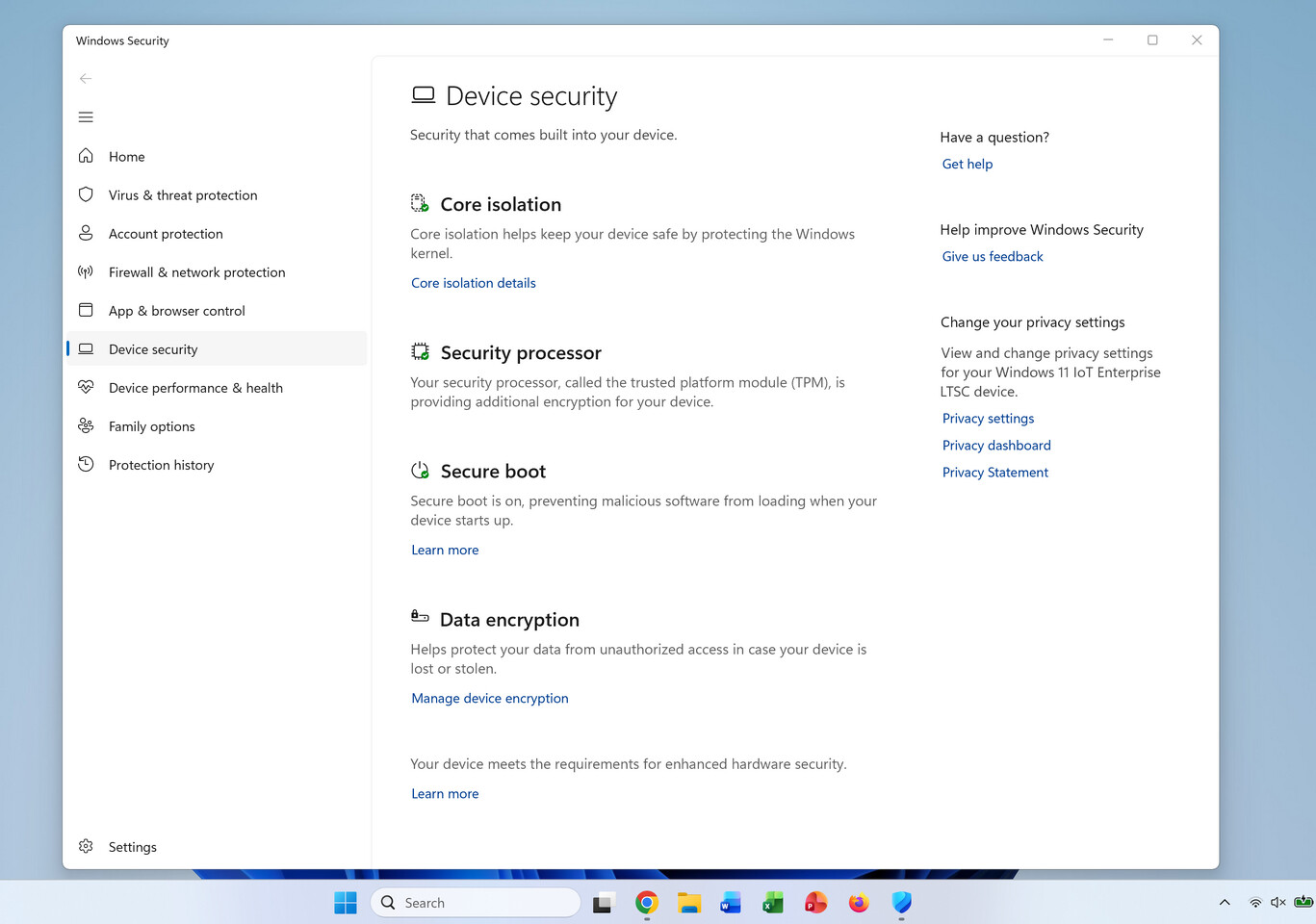
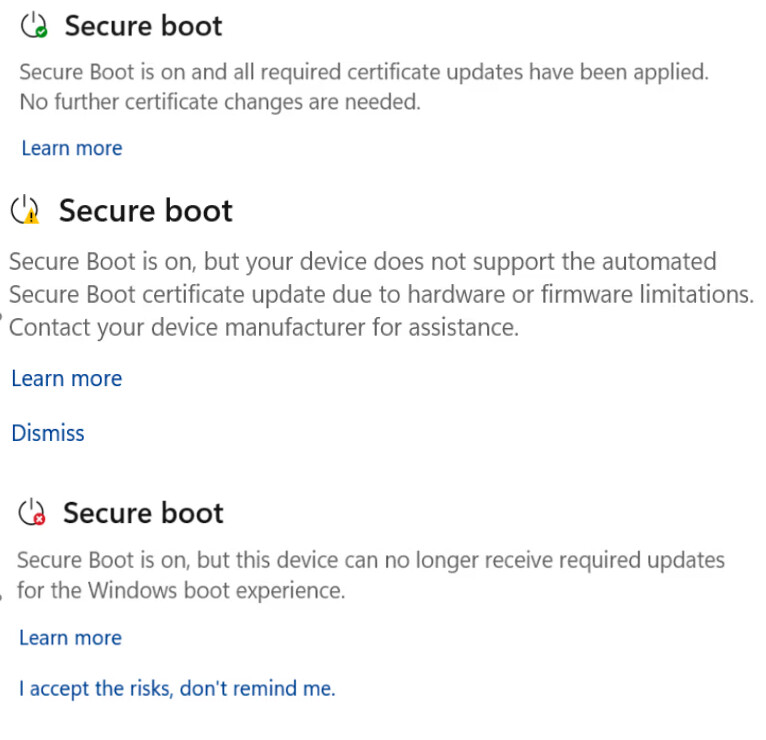
Microsoft is adding a status indicator of your Secure Boot certificate status to Windows Security.

https://www.techpowerup.com/347962/...ate-status-ahead-of-major-certificate-refresh

RLA54iaAlOluFVUp.jpgYmaSjy0VBz99Ge4Z.jpg
 
Back
Top